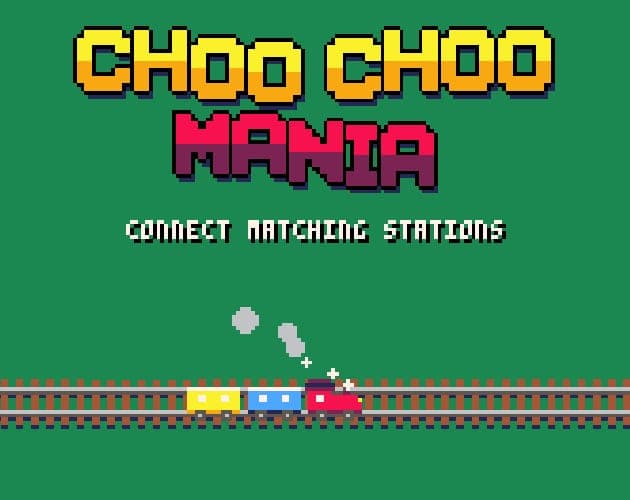
Choo Choo Mania
Link matching train stations with tracks that never cross, in a tiny PICO-8 puzzler.
by FeatureKreep
What is Choo Choo Mania?
Why Choo Choo Mania is on Unfound
A 4.5 average from 24 ratings on itch.io in its first two days, and the developer is already shipping new mechanics in response to detailed player feedback.
✓ Passes the Unfound barRated 4.5 out of 5 by 24 players on itch.ioWhat's the bar?
What players say
Highlights
- Connect-the-stations puzzles where no two tracks may cross
- Textless, and playable with mouse or keyboard
- Post-launch update added tunnels, pre-laid tracks and gates
Keep in mind
- Very short: the itch.io page lists a few minutes per session
- Early days; players have reported minor visual bugs in the newer puzzles
About Choo Choo Mania
Each puzzle shows a grid dotted with pairs of stations. Drag with the mouse from one station to its twin to lay rails, or move the on-screen cursor with the arrow keys and hold Z over a station to start a track. Lines may not cross, so the challenge is routing every pair at once. An update the day after launch added tunnels, pre-laid track pieces and key-and-gate tiles that force a route order, and comments refer to at least 24 puzzles.
Read the full description
It is marked textless on itch.io, so there is nothing to read, and the pixel-art trains and looping tune give it a relaxed feel. It suits fans of flow-style line-connecting puzzles who want a few minutes of calm, and anyone fond of PICO-8's chunky retro look. The developer is responding to detailed feedback in the comments, so expect it to keep changing.
Choo Choo Mania FAQ
Is Choo Choo Mania free?
Yes. It plays free in your browser on itch.io; the page has an optional Support This Game button for tips.
How do you play Choo Choo Mania?
Connect each pair of matching stations by drawing a track along the grid without crossing any other line. Use the mouse to drag rails, or the arrow keys to move the cursor and hold Z over a station to start a track.
Does Choo Choo Mania work on phones?
The page lists keyboard and mouse inputs and does not mention touch, so plan on a desktop browser.